



Skip to content
  • press@fixgamingchannel.com
  • LinkedIn
  • YouTube
  • Fix Gaming Channel Indie
  • Fix Gaming Channel Trailers
Fix Gaming Channel

Fix Gaming Channel

Indie Game News, Reviews and Developer Interviews

Fix Gaming Channel website banner with large neon FIX Gaming logo, bold gold Gaming News and Reviews headline, and purple Independent Coverage, Honest Opinions tagline.
  • News
    • Industry News
    • Security & Scam Alerts
    • Gaming Events
    • Giveaways
    • E-Sports
  • Culture
    • Fix Stories
      • Submit to Fix Stories
    • Videos
    • Gaming Lists
    • Editorials
  • Platforms
    • Mobile
    • PlayStation Games
    • Xbox Games
    • Nintendo Games
    • Ultrawide
    • VR Games
    • Gaming Hardware
  • Indie
    • Game of the Week
    • Indie Game Showcase
  • Interviews
    • Game Developers
    • Art in Games
    • Industry Insiders
  • Reviews
    • First Impressions
    • PC Reviews
  • Fix Access
    • Fix Access Services
    • Client Testimonials
    • Developer Guides
  • About
    • Support Us
    • Work With Us
    • Contact
    • Inside Fix Gaming
  • Toggle search form
  • A service vessel beside a lighthouse platform at dusk in Ships At Sea.
    Misc Games Interview: Independence, Early Access and Ships At Sea Developers
  • A photographed page of the Wolfenstein 3 script showing an interrogation-room scene involving BJ, Otto and Fergus.
    Wolfenstein 3 Officially Announced as MachineGames Returns to Series Gaming News
  • Clean Up Earth gameplay showing a blue moonlit mountain valley and the Terra Cleaner tool in first-person view.
    Clean Up Earth Lets You Restore Nature Instead of Destroying It Gaming News
  • Two soldiers wearing gas masks wade through a misty battlefield in DICE's Battlefield 1.
    Battlefield 1: A Masterpiece That Stood the Test of Time Editorials
  • A solitary dark-clothed character walks along a narrow cyberpunk alley in .45 PARABELLUM BLOODHOUND.
    From Inspiration to Identity: Sukeban Games on .45 PARABELLUM BLOODHOUND Developers
  • Jensen Huang, NVIDIA co-founder, speaking onstage at an NVIDIA keynote.
    Jensen Huang Resigns as NVIDIA CEO After 33 Years Gaming News
  • Steam Deck with the white Steam logo on its screen against a blue background with vertical bars.
    Steam Now Shows Real Steam Deck Framerates Before You Buy Gaming News
  • Two chef-hatted Glutton Monsters wait at an orange table while a green Shape Buddy balances a large gold serving tool in One More Plate!
    One More Plate! Launches After Winning Best Gameplay in Bangkok Gaming News
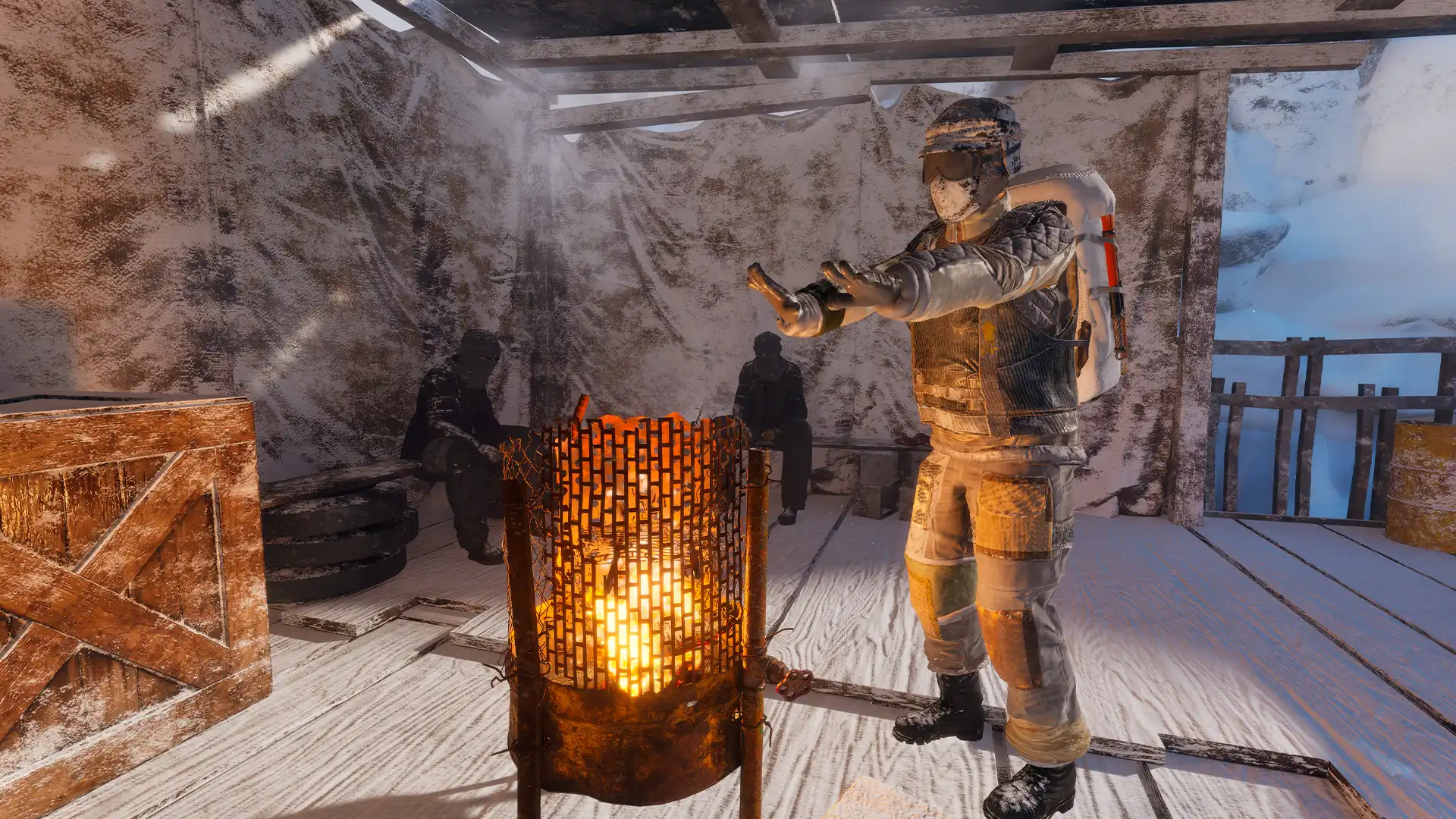
A Permafrost survivor warming their hands over a heater inside a snowy shelter.

Permafrost Beginner Guide: What to Do First

Posted on October 14, 2026October 15, 2026 By Ronny Fiksdahl

Seven Early Steps to Keep You Alive in the Frozen World

Starting Permafrost without a plan for heat is a quick way to turn a promising run into a freezing disaster. The game entered PC Early Access on October 9, 2026, and the cold remains just as dangerous as the wildlife. Before loading your pack with loot, sort out the essentials.

This short checklist brings together practical opening tips from the independent Permafrost Wiki beginner guide and our own 30-hour Early Access review. It covers the basics without turning your first evening into homework.

Permafrost Trailer

Watch the official 2026 gamescom trailer on YouTube


More Survival Games Worth Your Time

Get our latest independent reviews, game guides and hands-on coverage delivered to your inbox.

Join Our Newsletter

Stay updated with the latest interviews, previews, and indie gaming news.


1. Pick a start you can learn from

Story mode is the gentler option while you get used to the survival systems; Survival is tougher. Custom settings let you tailor the experience if you want more control over the challenge. Give your specialization more thought than your starting outfit, since it affects your skills. You can choose a dog breed at setup, but you will still need to rescue your companion during the early quests.

Watch Our Permafrost Gameplay

2. Make basic tools, then get warm

Pick up Stone and Wood from nearby rocks, branches and debris. Make a Stone Axe and Stone Pickaxe by hand, then press B to open build mode and place a Campfire. The wiki lists a cost of 2 Stone for that fire in its preview-build notes, though recipes may change as Early Access develops. Stay close until the Warmed status appears. Always keep some spare materials for another fire.

3. Watch your body warmth

Health, Hunger, Energy and Stamina all need attention, but losing Body Warmth can quickly lead to Hypothermia. Cold Zones, storms and nighttime travel are risky if you have no heat nearby. Carry a few bandages, cook your meat instead of eating it raw, and avoid sleeping outside without warmth. A detour is rarely worth freezing for.

4. Follow the quests to Horizon

The opening quest, A New Beginning, leads you out of the cave and toward Horizon, an early settlement where you meet Robyn Cane and the traveling merchant Mule. Take time to learn cooking and crafting here before wandering too far. The questline eventually sends you to Bone Cave to rescue your dog. Prepare before entering: there is dangerous wildlife inside.

Your rescued dog does more than follow you around. It can carry extra supplies, scout ahead and warn you of threats. That spare carrying capacity is especially welcome once your backpack starts filling up.

5. Build a small, useful base

A Workbench, an enclosed area, a heat source, a bed and a storage chest are a much better opening investment than a huge building project. Claim your bed to establish a respawn point, and put valuable supplies in the chest before risky trips. As we noted in our earlier hands-on preview, simply collecting enough wood for warmth can feel like progress. There is no need to make the first shelter fancy.

6. Hunt for food and improve your gear

Craft a basic bow and arrows as the opening quests introduce them. Hunting gives you meat, but bring the food back and cook it safely. Once you have a Workbench, work toward Flint tools rather than trying to tackle every resource node with your starter equipment. Build up your supplies before pushing into tougher areas.

7. Save, check the journal and plan a way back

Press J to check the journal for quests, map information and blueprints. Save before an uncertain trip, and watch for fast-travel points as you move through the world. They are not always obvious. Above all, know where your next source of heat is before leaving the last one behind.

For more detail on the opening quests, controls, specializations and exact crafting requirements, read the full beginner guide at Permafrost Wiki. It is a fan-made resource, so double-check recipe costs and settings against your current game version.

Permafrost

Release: October 9, 2026 (PC Early Access)

Genre: Open-world survival / crafting / adventure

Developer / Publisher: SpaceRocket Games / Toplitz Productions

Platforms: PC via Steam, GOG and Epic Games Store

Related Reading

Permafrost Early Access Review – Beautiful, Brutal and Still Frozen Around the Edges

Permafrost Preview: An Early Look at the Frostbitten World of 2035


Written by Ronny Fiksdahl, Founder & Editor-in-Chief of Fix Gaming Channel.

Send interview pitches, corrections, tips, or developer stories to contact@fixgamingchannel.com.

Support independent games coverage on Ko-fi.

Gaming News, Indie Tags:Early Access, Permafrost, SpaceRocket Games, survival games, Toplitz Productions

Post navigation

Previous Post: REPLACED Comes to Android on December 8
Next Post: Gamescom Asia x Thailand Game Show 2026 Draws Record 29-Country Lineup

More Related Articles

Island of Hearts logo over six women in swimwear posing together on a tropical beach Island of Hearts: Free Demo, Gameplay, Cast and What to Know First Impressions
GTA 6 logo sunset background with Vice City-style colors GTA 6 Scams Are Promising Early Access That Does Not Exist Gaming News
Promotional image for Coin Push RPG featuring a crossover with a Chinese online game, with a stylized panda-faced character and exaggerated gold coin visuals. Coin Push RPG – Idle Grind with No Surprises Gaming News
Official PlayStation 5 Pro product image from Sony's September 2024 announcement. Sony Unveils the PlayStation 5 Pro: Next-Level Gaming Arrives November 7th! Gaming News
Two fantasy women with blue and purple wings surrounding the AION 2 logo. AION 2 First Impressions – Beautiful in 32:9, but Combat Left Me Bored First Impressions
Tokyo Game Show 2024 Selected Indie 80 artwork. Indie Developers Take Center Stage at Tokyo Game Show 2024 With Selected Indie 80 Gaming News
Free Newsletter

Stay Close to Indie Gaming

Get indie news, interviews, reviews, previews, recommendations, and giveaways from Fix Gaming Channel.

Featured Guides

Games Worth Your Time

Hand-picked games, recommendations, and regularly updated lists.

Ultrawide Greats: Best 32:9 Games Best Mobile Games of 2026 Viking Games to Watch in 2026 Pirate Games to Play in 2026
Browse Gaming Lists
For Developers

Fix Access PR & Marketing

Playtesting, mock reviews, Steam page feedback, press kits, PR planning, outreach, and launch support.

Explore Fix Access
Gameplay & Trailers

Watch Our Gaming Videos

Gameplay, indie discoveries, trailers, first impressions, and 32:9 super ultrawide gaming coverage.

Open the Videos Page

Newsletter · Work With Us · Fix Access · Contact
© 2023–2026 Fix Gaming Channel · Privacy Policy · Terms

Your cookie choices

We use essential cookies to keep this website working. With your permission, Google Analytics helps us understand visits, and embedded media may use third-party cookies. You can accept, reject optional cookies, or choose your preferences. Change your choice anytime using Cookie settings.

Functional Always active
Essential storage keeps the website working and remembers your cookie choices. It is always enabled.
Preferences
The technical storage or access is necessary for the legitimate purpose of storing preferences that are not requested by the subscriber or user.
Analytics
Allows Google Analytics cookies so we can understand visits and improve the website. Optional. The technical storage or access that is used exclusively for anonymous statistical purposes. Without a subpoena, voluntary compliance on the part of your Internet Service Provider, or additional records from a third party, information stored or retrieved for this purpose alone cannot usually be used to identify you.
Embedded media
Allows embedded videos, social posts, sharing tools and Steam widgets. Providers may use cookies to track activity or personalize advertising on their services. Optional.
  • Manage options
  • Manage services
  • Manage {vendor_count} vendors
  • Read more about these purposes
Preferences
  • {title}
  • {title}
  • {title}