Samsung DeX gaming works on a 49-inch super ultrawide — but the games I tested stayed 16:9
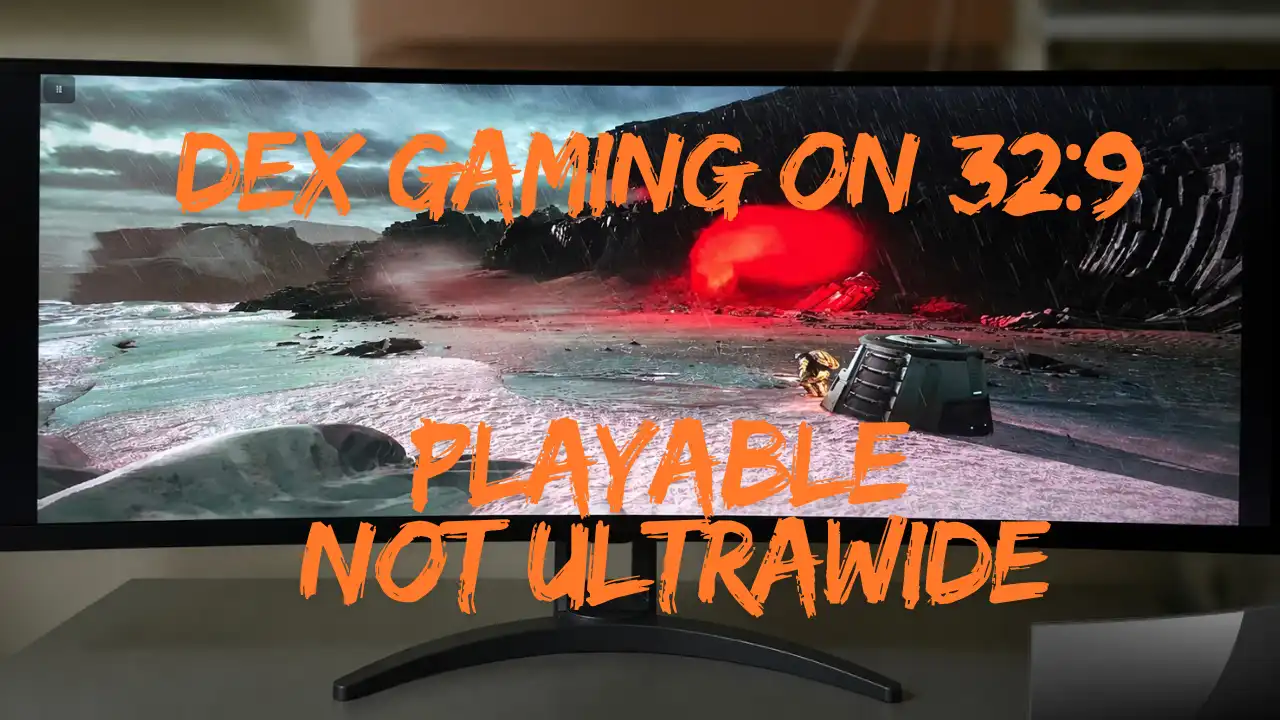
I tested DOOM: The Dark Ages, The Alters, and Red Dead Redemption NETFLIX through Samsung DeX from a Samsung Galaxy S24 Ultra on my 49-inch 32:9 monitor. All three were playable. None gave me proper 32:9 gameplay.
There is a big difference between getting a game to appear across a 49-inch super ultrawide monitor and actually running that game in 32:9.
I have already run into a similar problem while testing a PS5 on the same kind of 32:9 setup. The screen can accept an image. The game can be completely playable. You can even force that picture to fill the entire panel. None of that automatically means you are getting real ultrawide support.
Samsung DeX proved exactly the same point.
The DeX desktop worked. Xbox Cloud Gaming worked. A locally installed Android game worked. My controller worked. I could play everything I tested.
But once I started looking carefully at the aspect ratio, the monitor’s own resolution readout, the Samsung DeX screenshots, and the footage I recorded through scrcpy, it became clear what was actually happening.
The games were still 16:9.
Want more real-world ultrawide and hardware tests like this?
Get more gameplay tests, hardware coverage, reviews, interviews, and gaming features from Fix Gaming Channel.
Join Our Newsletter
Stay updated with the latest interviews, previews, and indie gaming news.
My Samsung DeX test setup
For this test, I used a Samsung Galaxy S24 Ultra running Samsung DeX with my AOC AGON AG493UCX2 49-inch super ultrawide monitor.
Phone: Samsung Galaxy S24 Ultra
Monitor: AOC AGON AG493UCX2, 49-inch, 5120×1440, 32:9
Connection: Galaxy S24 Ultra connected to the AGON monitor in Samsung DeX mode
External recording: scrcpy running on my PC
Controls: Controller through the DeX gaming setup
My normal desktop setup uses the same AGON monitor at its native 5120×1440 resolution. Properly supported games can look fantastic on a screen this wide, which is one reason I keep coming back to why ultrawide gaming can be so difficult to leave behind once you get used to it.
I was not expecting the Galaxy S24 Ultra to replace my main gaming PC.
I wanted to answer something much simpler: how usable is Samsung DeX for gaming when you connect it to a huge 32:9 monitor?
Could I launch games? Could I control them normally? Would they use the complete screen properly? Could I record the result? And if the games filled the monitor, was I actually looking at ultrawide gameplay or just a stretched image?
That last question became the important one.
Samsung DeX itself worked
The basic setup worked better than I expected.
Samsung DeX appeared on the external monitor, and I could use the desktop interface normally, open applications, launch games, and connect to Xbox Cloud Gaming.
I also connected to the external DeX display through scrcpy on my PC. That allowed me to record the underlying DeX image separately while I continued using the physical AGON monitor.
Nothing about this article is saying Samsung DeX cannot be used for gaming on a large monitor.
It absolutely can.
The problem was what happened when standard 16:9 game content met a physical display that was twice as wide.
The monitor gave me the answer: 1920×1080 at 60 Hz
The most useful piece of evidence came directly from the AGON monitor.
While the games were running through Samsung DeX, I opened the monitor’s own on-screen display with its remote control.
It reported:
Resolution: 1920(H) × 1080(V)
Vertical frequency: 60 Hz
Image Ratio: 42″W (16:9)
That was the point where the behavior I was seeing made sense.
The panel might physically be 32:9, but the signal being reported during this test was 1920×1080. That is a 16:9 image.
I am not claiming that every Samsung DeX setup is universally limited to 1080p. Phones, docks, adapters, cables, displays, and configurations can produce different results.
These findings apply specifically to the Samsung Galaxy S24 Ultra and AOC AGON AG493UCX2 setup I used.
Making 16:9 fill a 32:9 monitor does not make it ultrawide
This is where things became ugly.
I could make the game image fill the entire width of the 49-inch display. From a distance, that looked impressive because there was suddenly gameplay everywhere.
But the wider physical picture was not adding anything to the game.
There was no additional world being rendered at the sides. There was no wider field of view. The game was not suddenly showing twice as much horizontal information.
The normal 16:9 picture was simply being stretched sideways.
Characters became wider. Weapons became wider. HUD elements became distorted. Anything that should have been circular exposed the problem immediately.
This is the same distinction I have discussed when arguing that proper ultrawide support is about more than making an image occupy the screen.
A stretched picture is not ultrawide support.
The 16:9 monitor mode fixed the distortion
The AGON monitor gave me a much more sensible option: 42″W (16:9).
Switching to that mode preserved the correct proportions instead of pulling the picture across the full panel.
That immediately made the games more playable.
Characters looked normal. UI elements looked normal. The world was no longer stretched sideways. If my main concern were whether I could comfortably sit down and play, this is the setting I would use.
The downside was obvious.
I was sitting in front of a 49-inch 32:9 monitor while deliberately using only a normal 16:9 section in the center. The remaining width was left unused.
That is still much better than stretching the image, but it is a poor use of a super ultrawide display.
The games gave me two practical choices:
Fill the full 32:9 screen: a huge picture with obvious horizontal stretching.
Preserve 16:9: correct proportions and more playable gameplay, but with large unused areas on both sides.
Between those two, I will take the correct 16:9 presentation every time.
DOOM: The Dark Ages worked through Xbox Cloud Gaming
The first major game I tested was DOOM: The Dark Ages through Xbox Cloud Gaming.
It worked.
I could launch it through Samsung DeX, use the controller, and play normally. As a demonstration of what a phone, DeX, cloud gaming, and an external display can do together, that is still impressive.
But this was not a proper 32:9 presentation.
When I forced it across the full width of the display, the image looked stretched. When I returned the AGON to the correct 16:9 ratio, the geometry looked normal again.
That made DOOM playable, but it also turned my enormous display into what was effectively a conventional gaming screen sitting in the middle of a much wider panel.
There is an important qualifier here: this was an Xbox Cloud Gaming test. I am not using DOOM to claim how a native Android version would behave, because that is not what I tested.
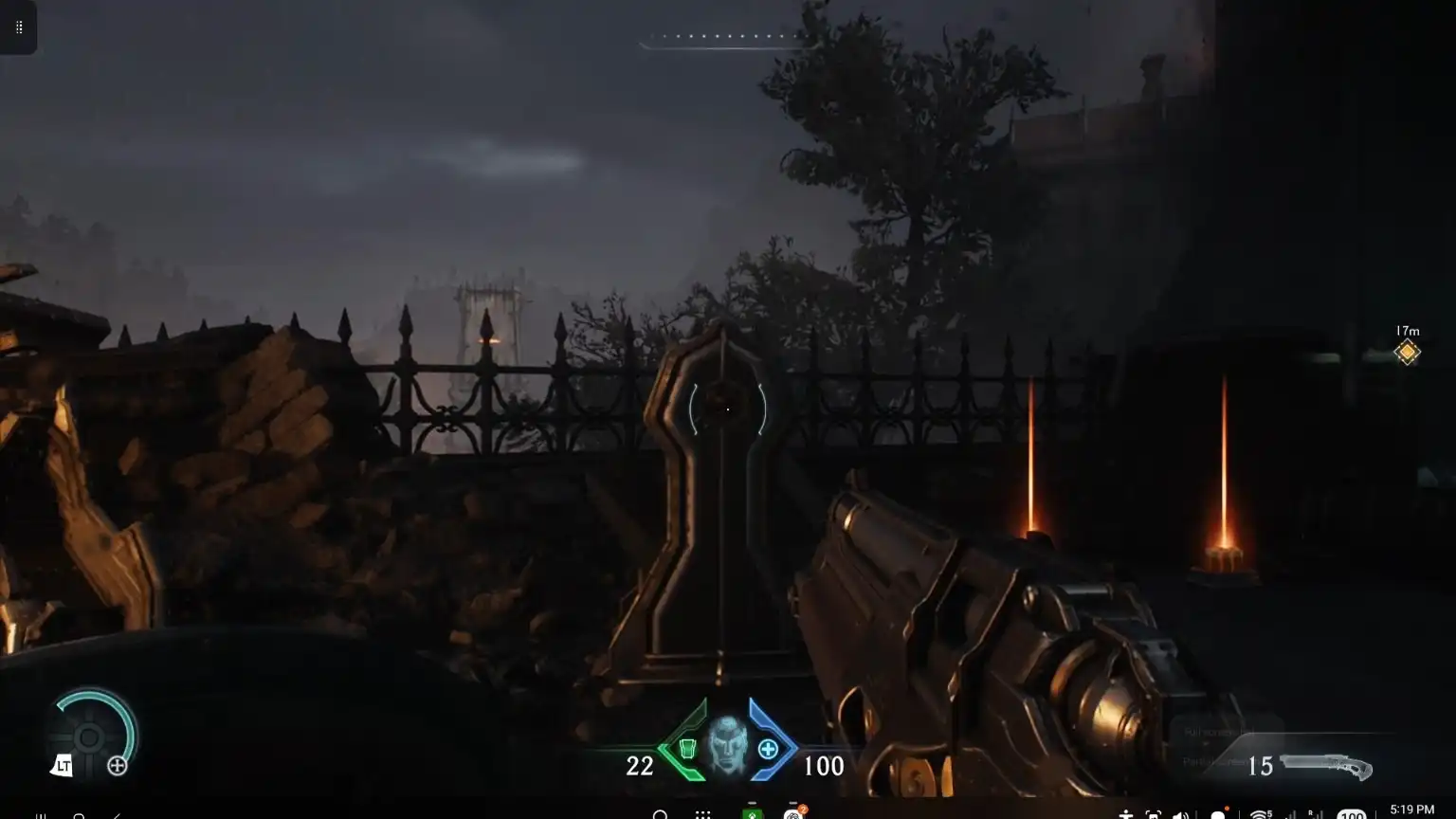
A direct Samsung DeX screengrab of DOOM: The Dark Ages. Although I played it across the full 32:9 monitor, the screenshot captured the underlying 16:9 image before the AGON monitor applied its scaling.
The Alters behaved the same way
The Alters was my second Xbox Cloud Gaming test, and the result was essentially the same.
This one was particularly interesting because I have already spent a lot of time looking at The Alters and its actual ultrawide support on PC.
I know what the game looks like when a wider format genuinely provides a wider view.
That was not what I was seeing through this Samsung DeX cloud-gaming test.
The game was playable, and once I preserved the correct aspect ratio it looked normal. Filling the entire 32:9 monitor simply stretched that normal presentation.
Again: playable, yes.
Proper super ultrawide gaming, no.
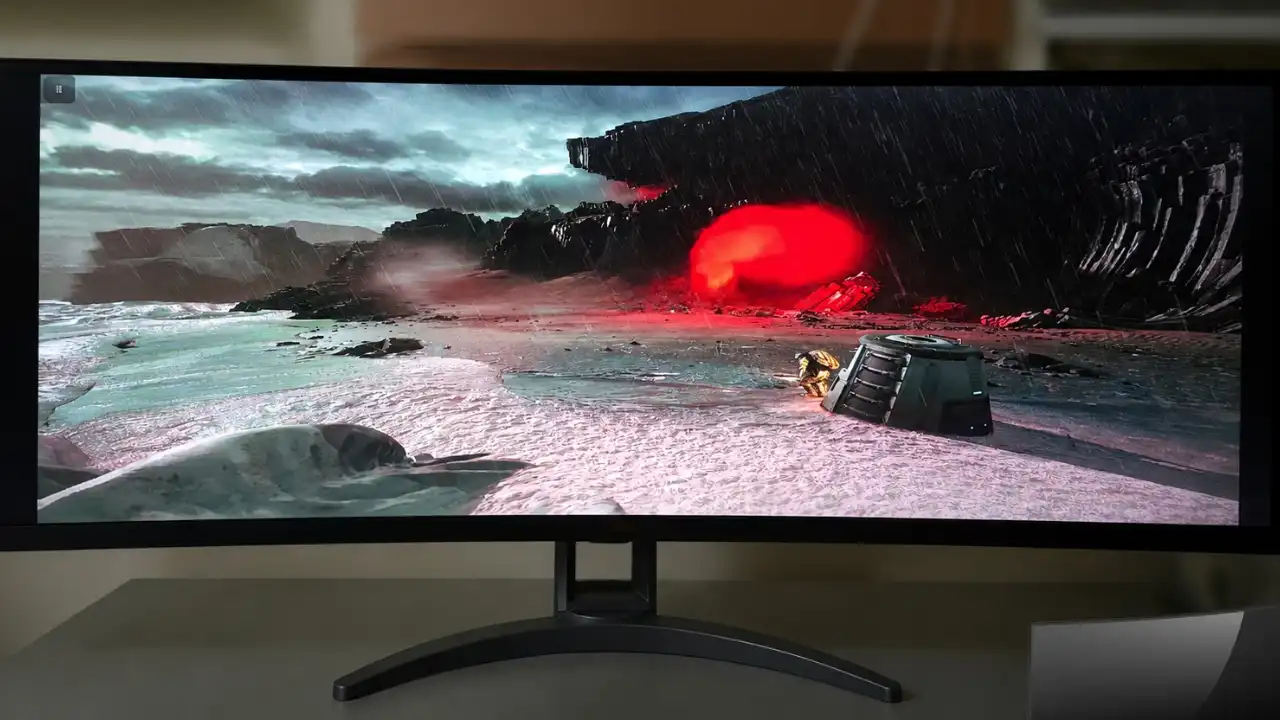
With the monitor set to fill the panel, The Alters occupied the full 32:9 screen, but its 16:9 cloud image was stretched rather than rendered as true ultrawide.
Red Dead Redemption NETFLIX was the test I needed next
After DOOM and The Alters, there was an obvious weakness in the experiment.
Both games were running through Xbox Cloud Gaming.
That meant I could not simply blame Samsung DeX for the 16:9 presentation. The cloud stream itself was part of the chain.
So I also tested Red Dead Redemption NETFLIX on Android.
This gave me a locally installed Android game rather than another Xbox Cloud Gaming session.
I ended up with the same practical choice.
I could stretch Red Dead Redemption across the 32:9 panel, but doing that distorted the picture.
Preserving the proper 16:9 ratio looked considerably better and made the game much more playable.
That does not prove that every Android game behaves this way through Samsung DeX. It proves that this game did on my Galaxy S24 Ultra and AGON setup.
That distinction matters.
scrcpy showed what happened before the monitor stretched the image
One of the most useful parts of the experiment came from recording the external DeX display.
I wanted clean footage rather than relying only on a camera pointed at the monitor, so I connected to the external display through scrcpy on my PC.
scrcpy reported:
Texture: 1920×1080
I recorded the external DeX display from there.
When I watched the Red Dead Redemption recording, it did not contain the full-width stretching I could create on the physical AGON monitor.
Instead, the recording preserved the underlying 16:9 image. When that narrower image was displayed across a wider canvas, unused space remained at the sides.
That helped explain the complete chain:
The game and DeX source remained 16:9. scrcpy captured that source. The AGON monitor could then apply its own stretching afterward when displaying the signal.
scrcpy never recorded the monitor’s physical scaling because that scaling happened after the source had already been captured.
That made the recording useful evidence rather than a failed capture.
The clean recording showed the underlying image. The physical monitor photos showed what happened when I forced that image to fill the full 32:9 panel.
Why “it works” is not the same as proper ultrawide support
This test is a good reminder of why I am careful with the word support.
If I photographed the monitor while a game was stretched across the whole panel, I could make it look as though the game were running in 32:9.
It would be using every inch of the screen.
It still would not be genuine 32:9.
Proper ultrawide support means the game actually handles the wider aspect ratio instead of taking a narrower image and pulling it sideways. You can see the difference clearly in games that genuinely work well across the format in our seven 32:9 super ultrawide games worth seeing in 5K.
Those games show why people buy displays like this in the first place: a genuinely wider view, not merely wider pixels.
My verdict on all three games
DOOM: The Dark Ages — Xbox Cloud Gaming
Playable through Samsung DeX. Correct in 16:9. Poor when stretched across 32:9. No proper 32:9 presentation observed during this test.
The Alters — Xbox Cloud Gaming
Playable through Samsung DeX. Correct in 16:9. Poor when stretched across 32:9. No proper 32:9 presentation observed during this test.
Red Dead Redemption NETFLIX — Android
Playable through Samsung DeX. Correct in 16:9. Poor when stretched across 32:9. No proper 32:9 presentation observed during this test.
The common result is simple:
They worked. They were playable. But filling a 32:9 monitor and actually supporting 32:9 are not the same thing.
Would I actually play this way?
Yes, if Samsung DeX were the system I had available and I wanted to play one of these games on a larger display.
I would keep the monitor in its correct 16:9 mode.
The stretched version is worse.
It technically gives me more screen, but it does not give me more game. It simply makes everything wider and wrong.
The normal aspect ratio is much more playable, even if sitting in front of a 49-inch super ultrawide while deliberately using a narrower section in the middle feels a little ridiculous.
This is why real-world testing matters. A specification sheet can tell me that a phone supports Samsung DeX. A game can launch. A monitor can show an image. None of those facts tell me what it actually feels like when I sit down and try to use all three together.
For comparison, our Top 10 Super Ultrawide series shows what the same type of display can do when games are genuinely being tested as wider-format PC experiences.
My Samsung DeX result was nowhere near that.
But it did prove something useful.
Samsung DeX gaming from a Galaxy S24 Ultra on a 49-inch 32:9 monitor is absolutely possible. With DOOM: The Dark Ages, The Alters, and Red Dead Redemption NETFLIX, the sensible way to play was still 16:9.
Related Reading
PS5 With an Ultrawide Monitor? I Tested Cyberpunk 2077 on a 32:9 Screen
The Alters Ultrawide Question: Is Proper Support Coming?
Seven 32:9 Super Ultrawide Games You Need to See in 5K
Written by Ronny Fiksdahl, Founder & Editor-in-Chief of Fix Gaming Channel.
Send interview pitches, corrections, tips, or developer stories to contact@fixgamingchannel.com.
Support independent games coverage on Ko-fi.