







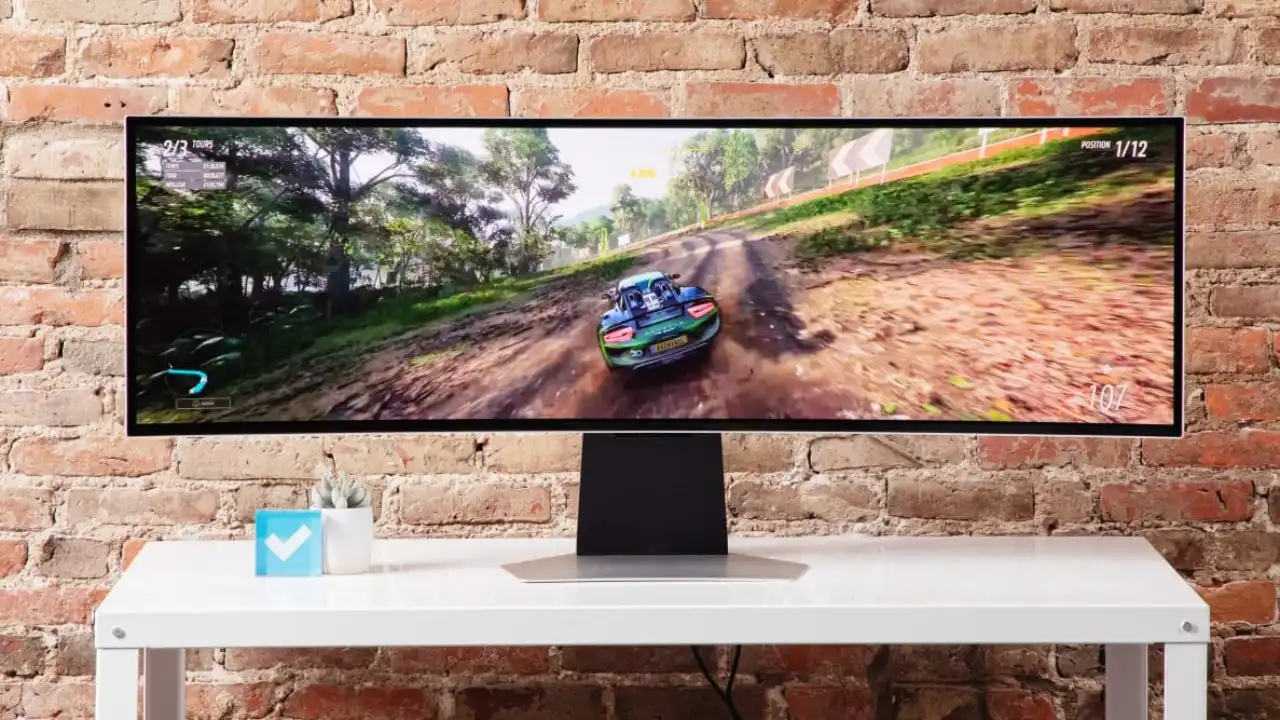
Your ultrawide resolution decides how powerful the GPU needs to be
Ultrawide gaming can mean anything from a 3440×1440 display to a demanding 5120×1440 super ultrawide monitor. Before buying a graphics card, check the exact resolution, refresh rate, games you play, and whether you expect ray tracing or native-resolution performance.
I have used both 32:9 and 3440×1440 ultrawide monitors for years, going back to when the GeForce GTX 1070 Ti was still on the market. Once you become used to the wider view, extra screen space, and greater immersion, returning to a standard display feels restrictive. For me, there is no way back.
That does not mean every ultrawide monitor needs a flagship graphics card. A typical 34-inch 3440×1440 display and a 49-inch 5120×1440 monitor may both be called ultrawide, but the GPU workload is very different.
The larger 32:9 resolution renders almost 49% more pixels than 3440×1440. That can move a graphics card from comfortable performance into a situation where settings, upscaling, VRAM, and frame generation become far more important.
As discussed in our feature on why there is no going back after playing in ultrawide, the format can transform both immersion and everyday desktop use. The next question is whether your GPU can handle it.
Ultrawide gaming in action
Join Our Newsletter
Stay updated with the latest interviews, previews, and indie gaming news.
Not every ultrawide resolution is equally demanding
The physical size and width of the monitor do not determine the GPU workload by themselves. The number of pixels being rendered is the more useful comparison.
| Resolution | Format | Total pixels | Compared with 4K |
|---|---|---|---|
| 2560×1080 | 21:9 ultrawide | 2.76 million | 33% |
| 3840×1080 | 32:9 super ultrawide | 4.15 million | 50% |
| 3440×1440 | 21:9 ultrawide | 4.95 million | 60% |
| 3840×1600 | 21:9 ultrawide | 6.14 million | 74% |
| 5120×1440 | 32:9 super ultrawide | 7.37 million | 89% |
| 3840×2160 | Standard 4K | 8.29 million | 100% |
One surprise is that 3840×1080 is easier to run than 3440×1440, despite being the wider 32:9 format. At the other end, 5120×1440 is only around 11% lighter than standard 4K.
Quick ultrawide GPU recommendations
| Resolution | Practical starting point | Stronger choice |
|---|---|---|
| 2560×1080 | Intel Arc B580, Radeon RX 9060 XT 16GB | GeForce RTX 5060 Ti 16GB, Radeon RX 9070 |
| 3840×1080 | Radeon RX 9060 XT 16GB, GeForce RTX 5060 Ti 16GB | Radeon RX 9070, GeForce RTX 5070 |
| 3440×1440 | Radeon RX 9060 XT 16GB, GeForce RTX 5060 Ti 16GB | Radeon RX 9070, GeForce RTX 5070, Radeon RX 9070 XT |
| 3840×1600 | Radeon RX 9070, GeForce RTX 5070 | Radeon RX 9070 XT, GeForce RTX 5070 Ti, GeForce RTX 5080 |
| 5120×1440 | Radeon RX 9070 XT, GeForce RTX 5070 Ti | Radeon RX 7900 XTX, GeForce RTX 5080, GeForce RTX 5090 |
These are practical tiers, not guarantees of a fixed frame rate. Performance changes significantly between games and depends on graphics settings, ray tracing, upscaling, the processor, and the refresh rate you are trying to reach.
What GPU do you need for 3440×1440 ultrawide?
For most players, a normal ultrawide monitor means a 34-inch 3440×1440 display. It renders around 34% more pixels than standard 2560×1440, but remains considerably easier to drive than 4K.
A 16GB Radeon RX 9060 XT or GeForce RTX 5060 Ti is a reasonable entry point for players willing to adjust demanding settings or use quality-focused upscaling.
For a stronger and more balanced 3440×1440 setup, the Radeon RX 9070 and GeForce RTX 5070 provide more breathing room.
Players targeting high refresh rates, heavier ray tracing, or fewer compromises should look toward the Radeon RX 9070 XT, GeForce RTX 5070 Ti, or GeForce RTX 5080.
3440×1440 ultrawide gameplay
What GPU do you need for 3840×1080 super ultrawide?
A 3840×1080 monitor can look demanding because of its extreme width, but it renders fewer pixels than 3440×1440.
The 16GB versions of the Radeon RX 9060 XT and GeForce RTX 5060 Ti are sensible modern starting points. The Radeon RX 9070 and GeForce RTX 5070 offer more room for high-refresh gaming and demanding releases.
This is a good reminder that the physical width of the monitor does not automatically require an extreme graphics card. The exact resolution is far more useful when judging performance requirements.
What GPU do you need for 3840×1600 ultrawide?
The 3840×1600 resolution sits between 3440×1440 and 5120×1440. It provides more vertical screen space than the standard 34-inch format while placing a noticeably heavier load on the GPU.
The Radeon RX 9070 and GeForce RTX 5070 are reasonable starting points when settings and upscaling remain flexible.
For demanding games, high refresh rates, or stronger ray-tracing performance, the Radeon RX 9070 XT, GeForce RTX 5070 Ti, and GeForce RTX 5080 are better suited to the resolution.
What GPU do you need for 5120×1440 super ultrawide?
This is the resolution I currently use for PC gaming and 32:9 testing. At 7.37 million pixels, 5120×1440 is much closer to 4K than standard 1440p.
The Radeon RX 9070 XT and GeForce RTX 5070 Ti are practical current starting points, especially when using optimized settings and quality-focused upscaling in demanding releases.
For fewer compromises, the GeForce RTX 5080 is the stronger step up. The 24GB Radeon RX 7900 XTX also remains highly capable at 5120×1440 and is the graphics card used in my own 32:9 system.
I do not run every game at maximum settings simply because the card is powerful. At this resolution, reducing a few expensive settings can produce a far better balance between image quality and frame rate without noticeably damaging the experience.
The GeForce RTX 5090 is the maximum-performance option for players chasing very high refresh rates, demanding ray tracing, or the fewest possible compromises. It is not required simply to use a 5120×1440 monitor.
5120×1440 super ultrawide gameplay
How much VRAM should an ultrawide GPU have?
For a new 3440×1440 gaming build, I would favor at least 12GB of VRAM and choose 16GB when the budget allows. For 3840×1600 or 5120×1440, 16GB is a stronger target.
That does not mean every 8GB card immediately stops working. It means a new 8GB purchase may leave less room for future releases, high-resolution textures, ray tracing, mods, and games with poor memory management.
The current GeForce RTX 5070 carries 12GB, while the GeForce RTX 5070 Ti, GeForce RTX 5080, Radeon RX 9070, and Radeon RX 9070 XT carry 16GB.
The Radeon RX 7900 XTX provides 24GB, while the GeForce RTX 5090 provides 32GB. Those larger capacities can be useful at extreme resolutions, but VRAM alone does not make one graphics card faster than another.
Refresh rate changes the recommendation
Running a game at 60 frames per second and trying to fully use a 165Hz or 240Hz ultrawide monitor are completely different targets.
A midrange card may run 3440×1440 comfortably at sensible settings while still falling far short of the monitor’s maximum refresh rate. At 5120×1440, sustaining very high frame rates in visually demanding games can require a high-end GPU, reduced settings, upscaling, or a combination of all three.
Competitive games are often easier to run than cinematic open-world releases, but they can become limited by the processor. Buying the fastest GPU available will not guarantee 240 frames per second if the CPU or game engine cannot keep up.
Ray tracing can change the answer
A graphics card that performs well at native 3440×1440 or 5120×1440 without ray tracing may need upscaling or lower settings once demanding ray-traced effects are enabled.
This is why a GPU recommendation cannot be based on resolution alone. Someone playing competitive shooters at medium settings has very different requirements from someone trying to run a cinematic single-player game with full ray tracing.
Before choosing between AMD Radeon, NVIDIA GeForce, and Intel Arc, check the games you play most often and which upscaling or frame-generation technologies they support.
Upscaling is useful at ultrawide resolutions
NVIDIA DLSS, AMD FSR, and Intel XeSS can be especially useful at 3840×1600 and 5120×1440.
At these resolutions, quality-focused upscaling begins with a large amount of image information. It can be a far more sensible compromise than reducing every graphics setting or spending considerably more money only to remain at native resolution.
Frame generation can improve visible smoothness, but it should not be treated as a replacement for a stable base frame rate. The game should already feel responsive before generated frames are added.
Do not replace a strong older GPU without a reason
Players already using a GeForce RTX 4070 Ti SUPER, GeForce RTX 4080, GeForce RTX 4080 SUPER, GeForce RTX 4090, Radeon RX 7900 XT, or Radeon RX 7900 XTX do not automatically need a new card for ultrawide gaming.
A newer generation may offer improved features, efficiency, ray tracing, or frame generation, but an upgrade should solve a real limitation. If your current games already run well at your preferred settings, keeping the card is often the smarter decision.
The simple answer
For 3440×1440, start around the Radeon RX 9060 XT 16GB or GeForce RTX 5060 Ti 16GB. The Radeon RX 9070 and GeForce RTX 5070 provide a stronger overall balance.
For 5120×1440, look toward the Radeon RX 9070 XT or GeForce RTX 5070 Ti as practical starting points. The Radeon RX 7900 XTX, GeForce RTX 5080, and GeForce RTX 5090 provide more room for demanding games, ray tracing, and higher settings.
Most importantly, check the monitor’s exact resolution before buying. Choosing a graphics card for “ultrawide” without knowing whether the display is 3440×1440, 3840×1080, or 5120×1440 can lead to overspending or buying a GPU that struggles with the screen you intended to use.
For me, the extra demand is worth it. After years of using both 3440×1440 and 32:9 monitors, the wider view has become the way I want to play. There is no way back.
Related Reading
Once You Play Games in Ultrawide, There’s No Going Back
Seven 32:9 Super Ultrawide Games You Need to See in 5K
Why New PC Games Still Fail Ultrawide Players
Best Ultrawide Gaming Monitors in 2026
Written by Ronny Fiksdahl, Founder & Editor-in-Chief of Fix Gaming Channel.
Send interview pitches, corrections, tips, or developer stories to contact@fixgamingchannel.com.
Support independent games coverage on Ko-fi.